Clean messy exports locally
Trim spaces, normalize values, split columns, convert dates, remove blanks, and prepare files without uploading business data.
CSV Power Editor focuses on the cleanup workflows that happen before data enters a CRM, ad platform, ERP, dashboard, database, or customer system.
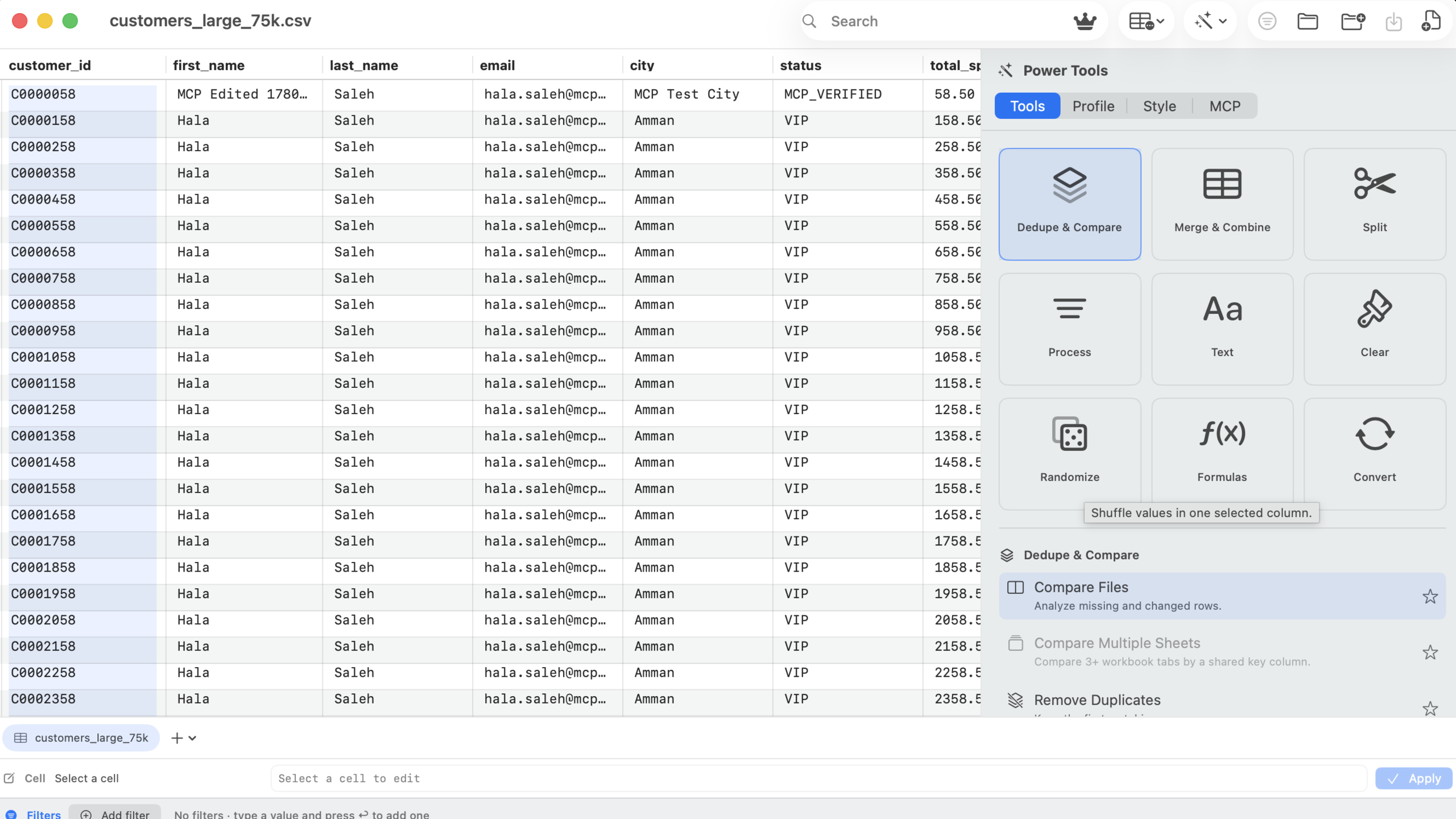
Open the file, understand its structure, clean values, compare changes, filter rows, export the result, and keep a path back with undo.
Trim spaces, normalize values, split columns, convert dates, remove blanks, and prepare files without uploading business data.
Power Tools show affected rows and change counts first, then let you apply in place, to a new sheet, or to a new workbook.
Generate spreadsheet-friendly compare workbooks with summaries, source rows, changed columns, keys, and audit notes.
Build multi-column filters with live counts, visible chips, quick search, sort order, and export-only-visible workflows.
Move fast with a per-workbook undo stack for edits, row and column changes, sheet actions, and Power Tool results.
Let AI agents inspect, filter, edit, dedupe, trim, export, and save the open workbook while the app remains visible.
These tools are grouped around common spreadsheet preparation work instead of buried inside generic spreadsheet features.
Trim, case, add, extract, remove characters, convert text, regex replace.
Split names, split columns, combine columns, computed columns, randomize values.
Convert types and turn inconsistent text into normalized dates.
Remove duplicates, find duplicate cells, fuzzy duplicates, dedupe within a cell.
Compare files and multiple sheets by keys, values, changed columns, and status.
Merge files, filter rows, copy visible rows, and export clean outputs.
CSV Power Editor uses SQLite-backed spill storage above 50,000 rows, has been verified with a 75K-row sample, and keeps a hard 1,000,000-row cap.
50K+
SQLite-backed spill threshold
75K
Verified sample workflow
1M
Hard row cap